Docker

🚀 𝐀𝐛𝐨𝐮𝐭 𝐌𝐞 "Hi, I'm Ali masiu zama, a DevOps student passionate about cloud computing and automation. I'm currently learning AWS, Linux, Docker, and CI/CD pipelines, with a focus on automating workflows and building scalable solutions.
Table of contents
Docker:
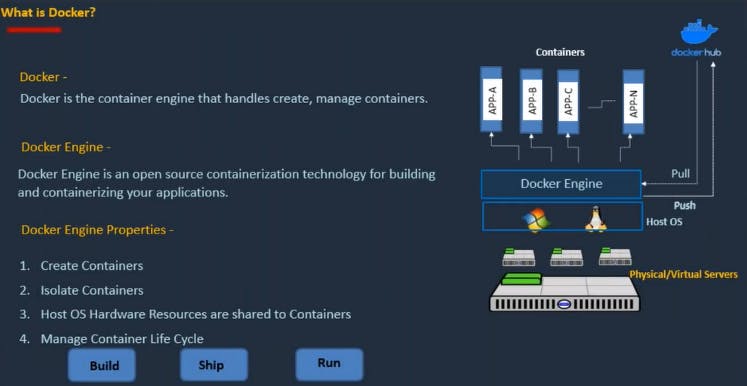
Docker is a platform and tool that enables you to develop, deploy, and run applications inside containers.
Containers are lightweight, standalone, and executable software packages that include everything needed to run a piece of software, including the code, runtime, system tools, system libraries, and settings.
Container contains:
Application/webserver SoftwareMinimal OSDependency Libraries and BinariesApplication CodeSupported configuration data
You can see Docker architecture in below picture:
Docker installation
Create a new ec2 instance. I have used Amazon-Linux-image as AMI and my instance name is: builder-server

Install docker over there
command to install docker :
yum install docker -y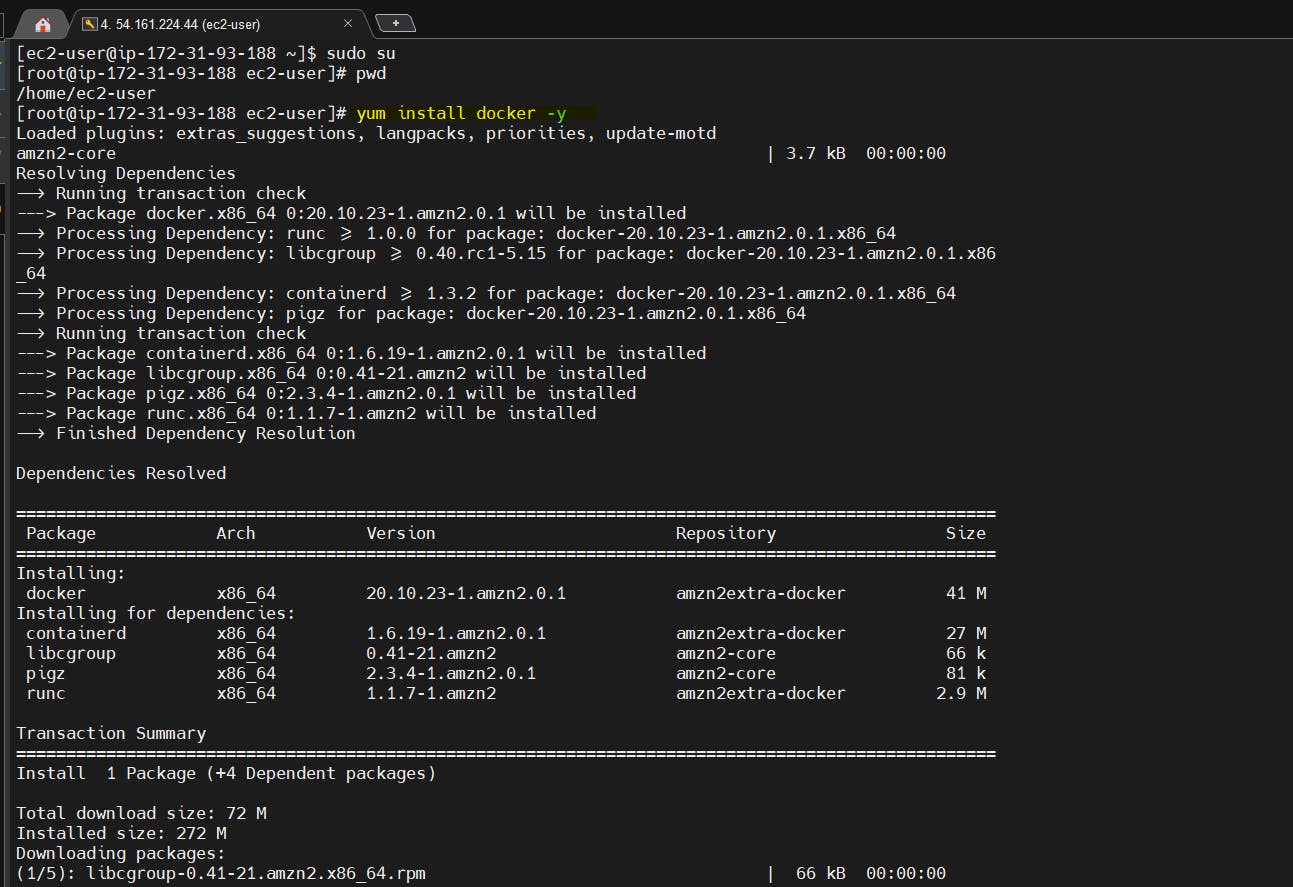
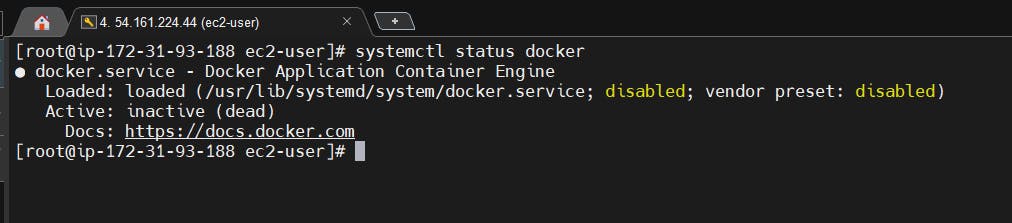
check the docker service status
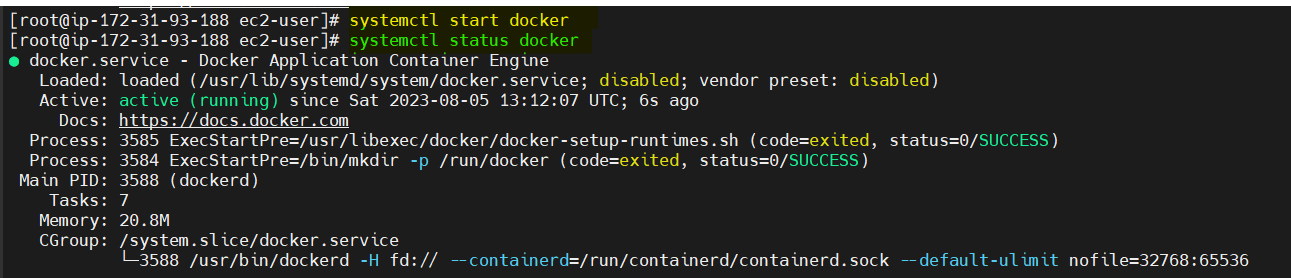
Start docker service
📌Tasks
As you have already installed Docker through the above steps, now is the time to run Docker commands.
Use the
docker runcommand to start a new container and interact with it through the command line.docker run hello-world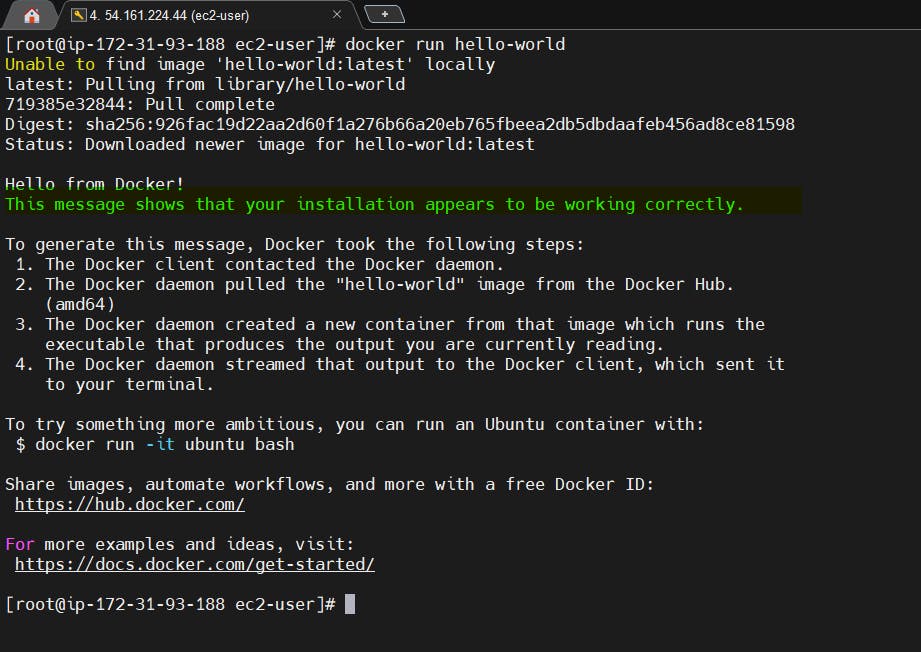
Use the
docker inspectcommand to view detailed information about a container or image.
-To see all the running containers the command is: docker ps -a

-We can use the inspect command to get low-level configuration information about various Docker objects like images, containers, volumes, networks, nodes, etc.
To see, for example, on which node a container is deployed or what ports it listens to.
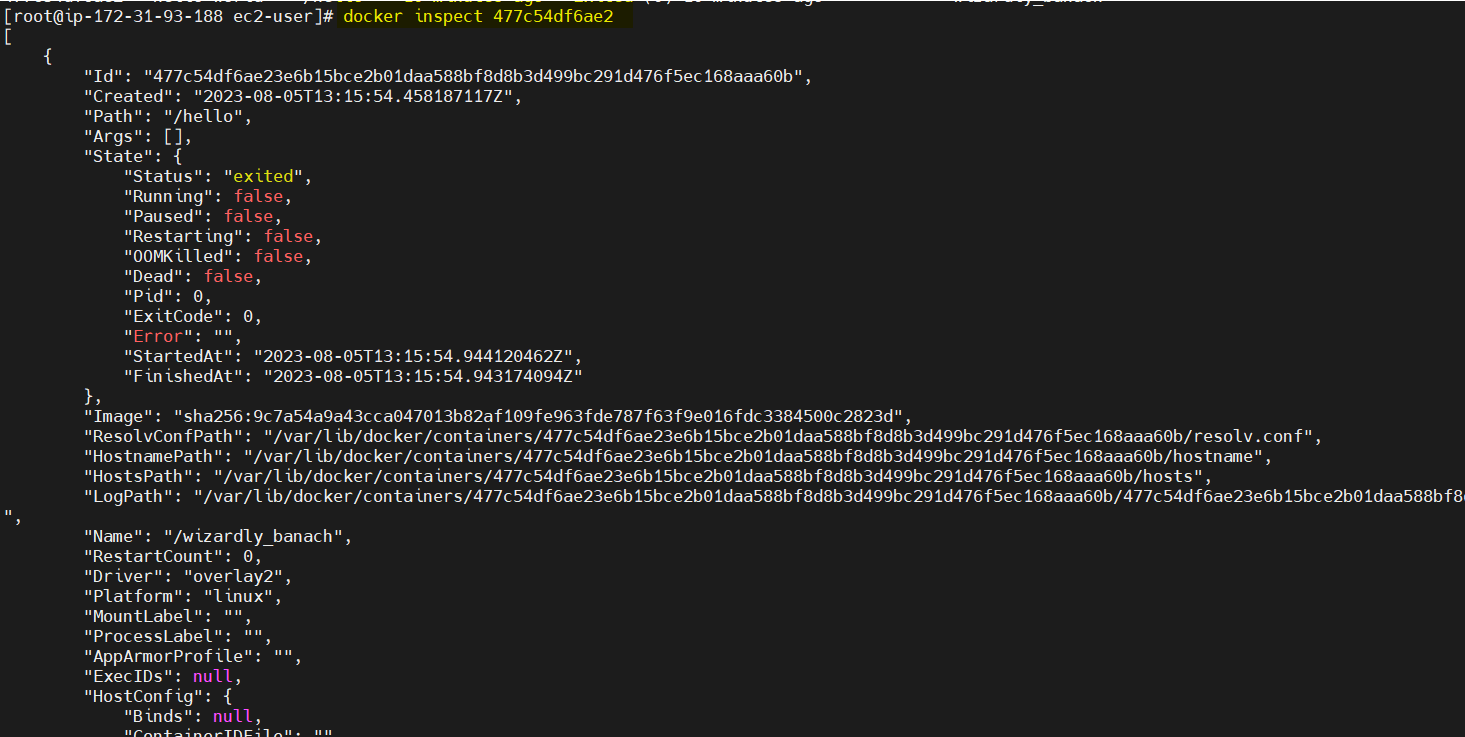
Use the
docker portcommand to list the port mappings for a container.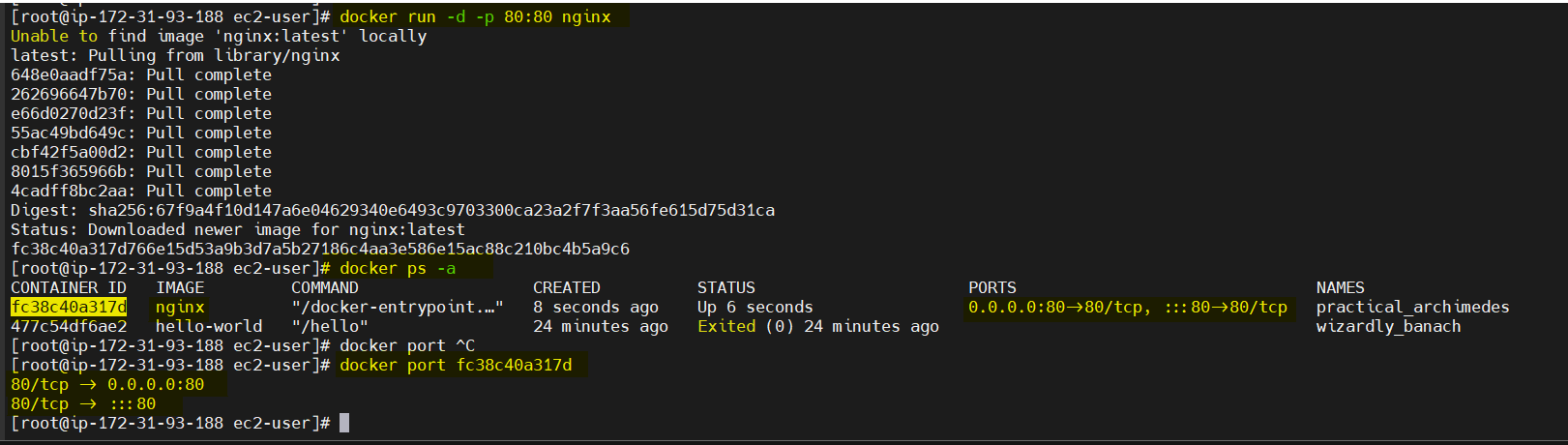
Use the
docker statscommand to view resource usage statistics for one or more containers.docker statscommand is used to see live stream a container's runtime metrics*. The command supports CPU, memory usage, memory limit, and network IO metrics.*
Use the
docker topcommand to view the processes running inside a container.
docker top <container ID >command allows users to display the ps output for the main process of a given container ID or name.


